A plain-text ledger can give you complete control and still become a chore to keep current.
A receipt waits in your camera roll. Bank transactions pile up for review. A simple question requires a query, and a small correction has to wait until you are back at your computer. None of these tasks is difficult on its own. Together, they create enough friction for a reliable ledger to fall behind real life.
That is the problem we have been working on in 2026.
Beancount.io v3 established the foundation: your books are plain text, every change has Git history, and your data remains portable. With 3.6, we focused on shortening the distance between something happening and it becoming a trustworthy entry in your ledger—without replacing transparency with a black box.
The first bottleneck: getting data into the ledger

Manual entry is precise, but it is also where bookkeeping backlogs begin. Financial data usually arrives in inconvenient forms: a PDF statement, a spreadsheet from a bank, a paper receipt, or a transaction feed that does not know your chart of accounts.
We started by launching Smart Import. It turns statements, spreadsheets, receipts, and images into structured Beancount entries. Instead of copying rows and fixing syntax, you review an editable result and decide what belongs in the ledger.
Bank Sync with Plaid now follows the same principle. It can map transactions to accounts already in your ledger and suggest categories, but the final decision stays with you. Over the past few months, we added filters by bank and account, controls over which linked accounts are shared, per-account currencies, and the ability to choose the destination file for imported entries.
Receipt capture completes the loop. Upload a receipt on the web or photograph it in the mobile app, and Beancount.io extracts the useful details and prepares a transaction for review. Automation handles the transcription; you retain accounting judgment.
The second bottleneck: turning understanding into action
At the beginning of the year, Ask AI was a read-only analyst. It could answer questions about balances, spending, and account history, but it stopped at the point where the ledger needed to change.
That boundary was safe, but not always useful. If the assistant found a misclassified expense, you still had to leave the conversation, find the right file, edit it, and verify the result yourself.
In June, Ask AI became an action-capable agent. It can run BQL queries, inspect files, read uploaded receipts, and prepare ledger edits. Before anything is written, you see the proposed change and approve or reject it. Accepted edits become ordinary Git commits, so they remain visible, reviewable, and reversible.
We then opened the same capabilities to the tools people already use. The Beancount MCP server connects a ledger to Claude, Cursor, Windsurf, Zed, and other MCP-compatible clients through ledger-scoped OAuth 2.1. You can ask a financial question or prepare an edit without exporting a copy of your books into another workflow.
The point is not to let AI quietly run your finances. It is to let AI do the mechanical work while keeping human approval and Git history at the center.
Accounting should not stop when you leave your desk
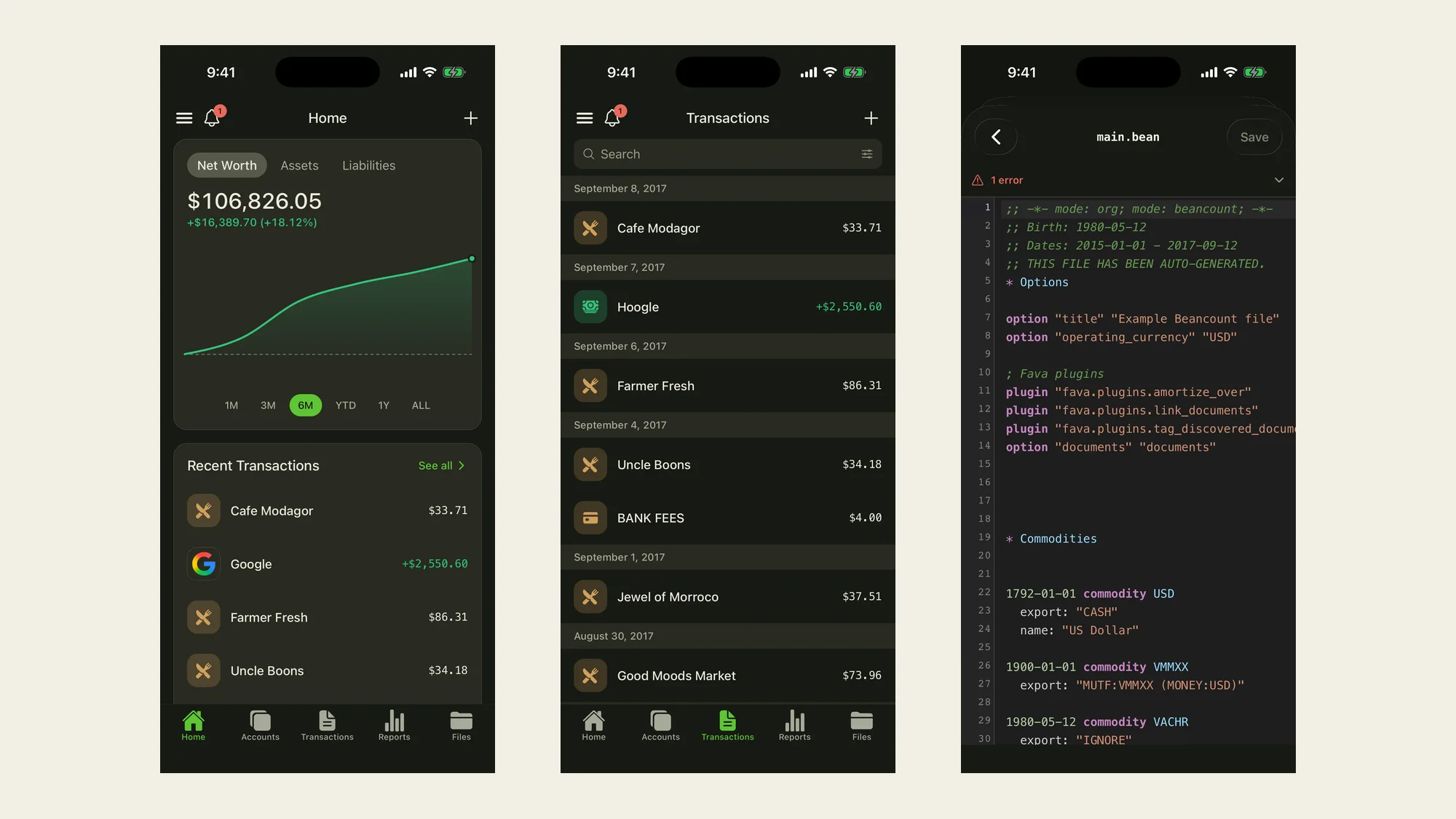
The mobile app was the weakest part of that promise. It could show useful information, but too many real tasks still required the web dashboard. This summer, we rebuilt the app around the work people actually need to do away from a desk.
The new Home screen presents the accounts and trends that matter first. Accounts now support drill-down and opening new accounts. Transactions are searchable and filterable by status, date, and account; multi-posting entry is the default flow; and existing transactions can be edited or deleted. Reports bring income, expenses, and balance-sheet views together instead of scattering them across separate tabs.
The app can also scan receipts, suggest accounts, browse and edit Beancount files, surface ledger errors, show recent Git changes, and track budgets. Multi-currency amounts are clearer, charts respond to touch, and the ledger drawer makes switching between personal, business, and shared books easier.
Some of the most important changes are deliberately less visible. Session credentials now live in the operating system's Keychain or Keystore. Loading, dark mode, navigation, and pull-to-refresh behavior received the same attention as the new screens. The app continues to support 13 languages.
It is no longer just a companion for checking a balance. It is a practical way to maintain a ledger wherever the underlying activity occurs.
Bringing the pieces together on the web
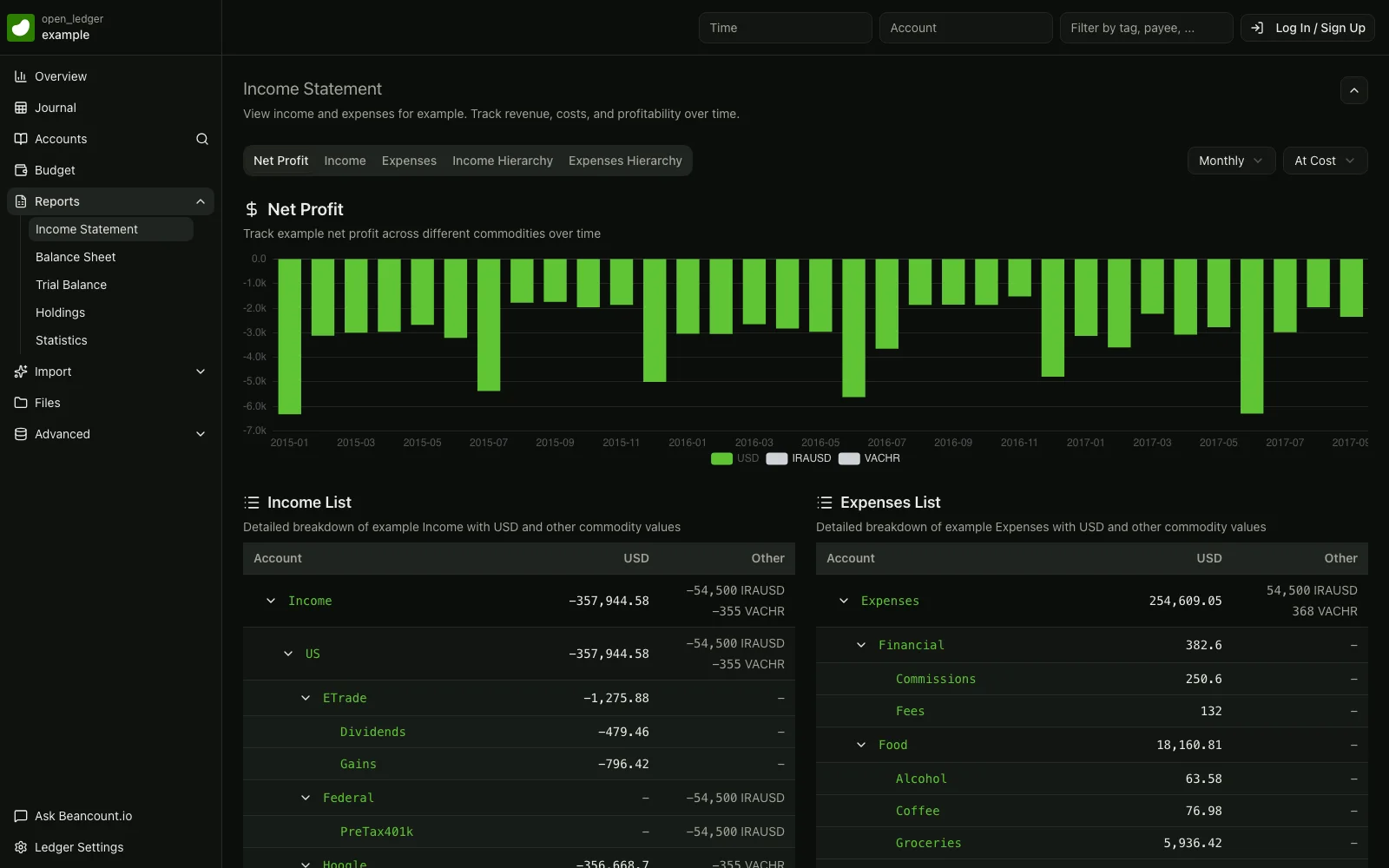
As importing, AI, and mobile became more capable, the web dashboard also needed to feel like one workspace rather than a collection of features.
The dashboard now has a customizable overview, simpler navigation, clearer first-run guidance, account opening and closing, bulk journal actions, budget history, receipt upload, and direct links from posting accounts into reports. Smart Import, Bank Sync, Ask AI, files, reports, and version history now share a more consistent flow and visual identity.
Underneath that interface, we moved the dashboard to server-side rendering, migrated authentication state to PostgreSQL and Redis, added stronger protection around sign-in and Git endpoints, and expanded automated tests for critical workflows. We also built and parity-tested a new TypeScript ledger service powered by a Rust/WASM engine. Its production cutover is being staged carefully, with the existing Python service retained as a rollback path during bake-in.
Ideally, you should not have to think about any of this infrastructure. You should simply encounter fewer delays, fewer surprises, and a product that behaves consistently across web, mobile, Git, and AI.
What 3.6 is really about
The individual features matter, but the larger change is the workflow connecting them.
A transaction can begin with a bank feed, a document, a mobile photo, a form, a text editor, or a conversation with an AI assistant. It still ends in the same place: a plain-text Beancount file with an auditable Git history. Convenience no longer has to come at the cost of portability or control.
That is the promise of 3.6.
Looking toward 4.0: fully open source
The goal for Beancount.io 4.0 is larger: make the complete Beancount.io product open source.
The web dashboard and mobile app are already developed in public, alongside the CLI, reporting tools, and skills for coding agents. The major remaining piece is the backend that connects those clients to hosted ledgers. Opening it will bring the product architecture closer to the principle that has guided Beancount.io from the beginning: if you can own your financial data, you should also be able to inspect and help shape the software that manages it.
There is still engineering and documentation work between here and 4.0. We want the result to be understandable, maintainable, and useful to contributors—not merely a source dump. Beancount.io 3.6 is an important step toward that future: one coherent financial workspace, built on open formats today and moving toward a fully open stack.