
Multi-Account Support
Connect checking, savings, credit cards, and investment accounts from multiple banks simultaneously.
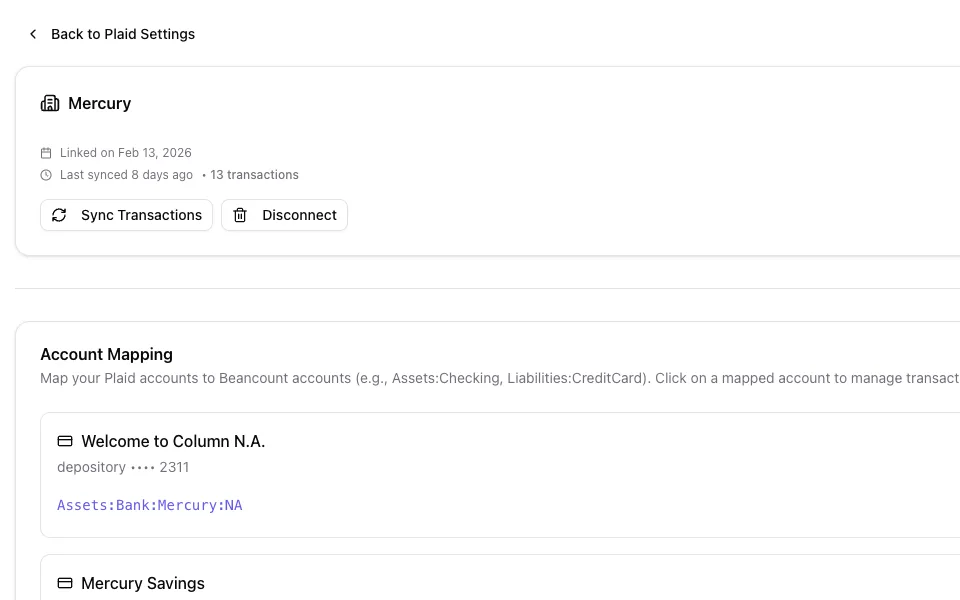
Connect your banks through Plaid. Each new transaction arrives as a Beancount entry with an AI-suggested account — you approve it, then it's committed to Git.
AI-suggested entry
2026-02-12 * "Corner Market" "CORNER MARKET #0412"
  Expenses:Food:Groceries            87.43 USD
  Assets:Bank:AcmeBank:Checking
Review every AI suggestion before committing. You maintain complete editorial control over your ledger.
Connect once, map once, then review what the AI suggests. Nothing reaches your ledger until you approve it.
Full Control
Review AI suggestions, make adjustments, and submit all transactions to your Beancount file with one click.
7e1b04dImport 3 transactions from Acme Bank Checking
+ 2026-02-12 * "Corner Market" "CORNER MARKET #0412"
+   Expenses:Food:Groceries            87.43 USD
+   Assets:Bank:AcmeBank:Checking
+
+ 2026-02-10 * "Acme Corp" "ACME CORP PAYROLL"
+   Income:Salary                   -3250.00 USD
+   Assets:Bank:AcmeBank:Checking
+
+ 2026-02-05 * "Bean There Cafe" "BEAN THERE CAFE"
+   Expenses:Food:Coffee                6.45 USD
+   Assets:Bank:AcmeBank:Checking
Whether you track household spending or run a company's books, Bank Sync fits your chart of accounts.
Connect checking, savings, credit cards, and investment accounts from multiple banks simultaneously.
Transactions already in your ledger are recognized and skipped, so a re-sync never imports anything twice.
Transactions are formatted in proper Beancount syntax and committed directly to your ledger file.
Find and filter synced transactions by date, amount, merchant, or category before importing.
Every import is committed to Git, giving you a full audit trail and the ability to roll back any changes.
Import weeks or months of transactions at once. Perfect for catching up or onboarding to Beancount.
Bank Sync connects through Plaid to banks, credit unions and brokerages in the United States and Canada, including Chase, Bank of America, Wells Fargo, Citi and Capital One. UK and European banks are not supported yet; import their statements with Smart Import instead. You can check whether your bank is supported during the connection flow.
Your bank credentials are never stored on or sent through our servers. You sign in to your bank inside Plaid's encrypted flow, and Beancount.io receives read-only transaction data.
Accuracy depends on how clear the merchant names are and how well your chart of accounts covers your spending, so review every suggestion. Categorization runs only when you ask for it: Beancount.io then sends each pending transaction's date, payee, description and amount, plus your account names, to our AI provider (Anthropic, with OpenAI as a fallback). When you link a bank, its account names, types and last four digits are also sent so the AI can suggest an account mapping.
You can manually sync at any time with one click. A background job also syncs every connected bank about every six hours, so new transactions are waiting for review without any manual effort. New transactions typically appear within seconds of syncing.
Yes. When you first connect a bank account, Plaid fetches recent history, typically up to 90 days depending on your bank. For older transactions, import your bank's CSV or PDF statements with Smart Import.
You always have full editorial control. Every transaction goes through your review before being committed to your ledger, and you can change any AI suggestion before you import it.
7e1b04dImport 3 transactions from Acme Bank Checking
Link your bank accounts and map them to your Beancount chart of accounts in minutes.
View Full Pricing